

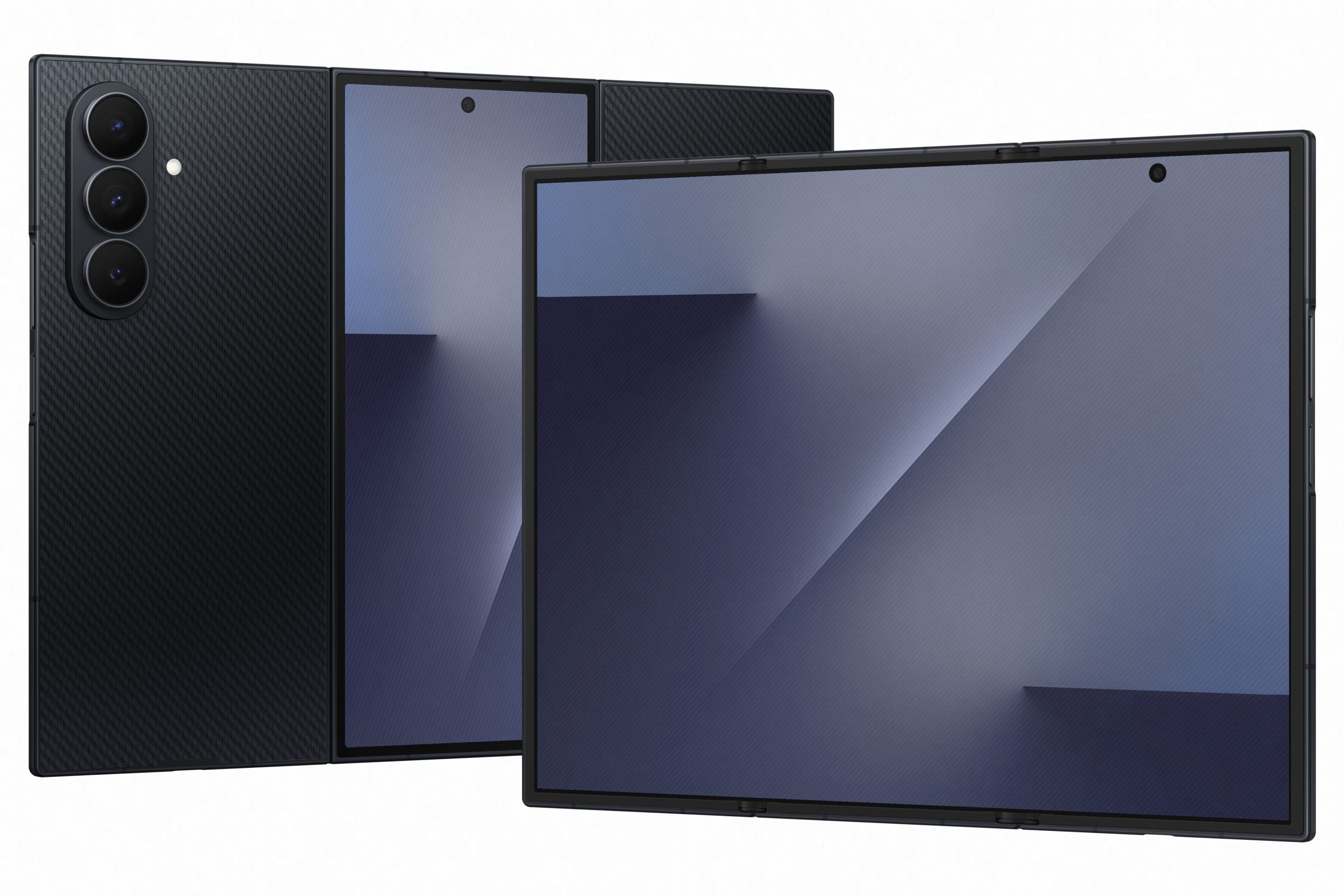
When Samsung unveiled the Galaxy Z TriFold, the headlines focused on what you’d expect: the dual hinges, the 10-inch display, the fact that a tablet now folds into your pocket. But buried in the announcement was a software feature that might matter more than any of the hardware innovations. For the first time, a Samsung phone can run DeX directly on its own screen.
If that sounds like technical jargon, let me translate: the Galaxy Z TriFold is the first Samsung smartphone that transforms into a genuine desktop computer without needing an external monitor, dock, or any accessories at all.
What is DeX and why does it matter now
Samsung DeX has existed for years. It’s a desktop interface that makes your phone or tablet behave like a Windows PC or Mac, complete with resizable windows, a taskbar, and proper multitasking. The problem has always been that phones needed to connect to an external display to use it. You’d plug your Galaxy into a monitor or TV, and suddenly you had a desktop experience. Convenient for hotel rooms with spare screens, but impractical for everyday mobile productivity.
Tablets were different. Samsung’s Galaxy Tab devices could run DeX directly on their own displays, turning them into genuine productivity machines without external hardware. But tablets don’t fit in your pocket.
The Galaxy Z TriFold changes this equation entirely. Its 10-inch internal display finally gives a phone enough screen real estate to make standalone DeX practical. Open the Quick Settings panel, tap the DeX toggle, and the phone transforms into a full desktop environment. No cables. No monitors. No compromises.
Four workspaces, twenty apps
The implementation goes far beyond a simple desktop skin. With One UI 8.0 built on top of Android 16’s Desktop Mode, Samsung has created something genuinely powerful. The TriFold supports up to four separate virtual workspaces, and each workspace can run up to five apps simultaneously. That’s potentially twenty applications open at once, organised across multiple virtual desktops just like on a traditional PC.
Think about what that means in practice. You could dedicate one workspace to communications (email, Slack, calendar), another to research (browser, notes, PDF reader), a third to creative work (photo editing, social media scheduling), and keep a fourth for reference materials. Swipe between them as needed. Everything stays running in the background.
Samsung offers a practical example in their materials: an architect could review blueprints, write a proposal, and calculate measurements across three applications in a single multi-window workspace. The 10-inch display makes this genuinely usable rather than a cramped novelty.
It gets better with accessories
Standalone DeX is the headline feature, but the TriFold doesn’t stop there. Connect a Bluetooth keyboard and mouse, and you’ve built a complete portable workstation that fits in a messenger bag. The experience becomes indistinguishable from using a small laptop, except your laptop also makes phone calls and fits in your jacket pocket when you’re done.
Samsung has also included Extended Mode, which lets you connect an external monitor for a true dual-screen setup. You can drag and drop apps between the TriFold’s display and the connected screen, creating a workflow identical to a traditional PC with two monitors. For presentations or extended work sessions at a desk, this transforms the phone into something approaching a full desktop replacement.
There’s even a hidden trick that Samsung didn’t mention during the announcement: the TriFold supports Second Screen functionality, letting it work as a wireless external monitor for your Windows PC. If you’re travelling and need dual displays, your phone can serve as the second screen for your laptop using the Miracast standard. No cables required.
Why this matters more than the folding screen
Foldable displays are impressive engineering, but they’ve existed for several years now. The Huawei Mate XT already proved that tri-fold hardware is possible. What makes the Galaxy Z TriFold genuinely different is how Samsung has thought about software.
Most foldables treat their larger internal displays as simply bigger phone screens. Apps scale up, you get more content visible at once, and that’s about it. The TriFold takes a different approach. Samsung has optimised the entire software experience around the idea that a 10-inch display deserves desktop-class productivity tools. The file manager displays folder structures, subdirectories, and file contents simultaneously, more like a desktop file browser than a mobile app. Native apps have been redesigned to take advantage of the space.
This is the real innovation. Not the hinges (though they’re impressive), not the display (though it’s gorgeous), but the recognition that a phone with a 10-inch screen should behave fundamentally differently than a phone with a 6-inch screen.
The laptop replacement question
Can the Galaxy Z TriFold actually replace a laptop? That depends entirely on what you do with a laptop.
For email, document editing, spreadsheets, video calls, web browsing, and light creative work, the answer is increasingly yes. The Snapdragon 8 Elite processor and 16GB of RAM handle demanding multitasking without breaking a sweat. Professional apps like the Adobe Photoshop beta and LumaFusion are available on Android, and they work well on large displays.
For heavy video editing, software development, or applications that simply don’t exist on mobile platforms, you’ll still need a traditional computer. The TriFold is remarkably capable, but it’s not magic.
The more interesting question is whether you need to carry both. For many professionals, the answer might now be no. A phone that genuinely functions as a portable workstation means leaving the laptop at home for short trips, conferences, or days when you’re mostly in meetings. The TriFold doesn’t need to replace your computer entirely. It just needs to reduce how often you need to carry it.
The bottom line
Samsung has built something genuinely new with the Galaxy Z TriFold. Yes, the hardware is impressive. Yes, the folding mechanism represents years of engineering refinement. But the feature that might actually change how people work is the one they barely mentioned in the announcement: a desktop operating system that runs natively on a phone, without external hardware, whenever you need it.
For the first time, a smartphone can credibly claim to be a productivity device that competes with laptops rather than complementing them. That’s not an incremental improvement. That’s a different category of product.
The Galaxy Z TriFold costs nearly $4,000. It’s heavy, it’s thick when folded, and it’s a first-generation device with all the risks that entails. But for mobile professionals who have been waiting for a phone that’s actually powerful enough to work on, the standalone DeX feature might justify every dollar.
